ae77 APK: the whole game lobby on your phone in one file
The ae77 APK is the install file for our Android app. Download the ৫২ megabyte file once and slots, fishing, Crash and live tables all open together. No separate browser needed — open the app, log in and start playing.
File: ae77.apk · Size ৫২ MB · Android ৮.০ or later · Completely free
- 18+
- SSL encryption
- 24/7 Live Chat
- bKash · Nagad · Rocket
ae77 APK download: file details at a glance
The file below comes straight from our own servers. Do not download the APK from a link sent in a Telegram group, a Facebook message or any other site. Match the details in the table before you download.
| Version | ৩.৮.৪ |
| File size | ৫২ MB |
| Android version | ৮.০ or later |
| Last updated | ১৯ November ২০২৬ |
| Cost | Completely free |
| Languages | Bangla and English |
| Support | ২৪/৭ live chat |
File name: ae77.apk · Size: ৫২ MB · You get a notification when the download finishes

There is no separate app for iPhone, but you can still keep it on your home screen
We do not provide a separate install file for iOS. Open the site in Safari and follow the steps below to put the icon on your home screen — one tap and the lobby opens.
- Open ae77.me in the Safari browser.
- Tap the Share icon at the bottom (arrow out of a square).
- Pick “Add to Home Screen” from the list.
- Fix the name and tap “Add” — the icon lands on your home screen.
What you get inside the app
- The lobby is right there when the app opens — no waiting for the site to load every time.
- bKash, Nagad, Rocket and bank — every payment inside the app, with deposits starting from ৳২৫০.
- ৬,০০০ games on the same account — play on your phone or on a computer, the balance stays the same.
- Withdrawal approvals and new bonus news come straight to your phone as push notifications.
 RTP ৯৫.০%
Captain Fisher
Sexy Gaming · Minimum bet ৳১
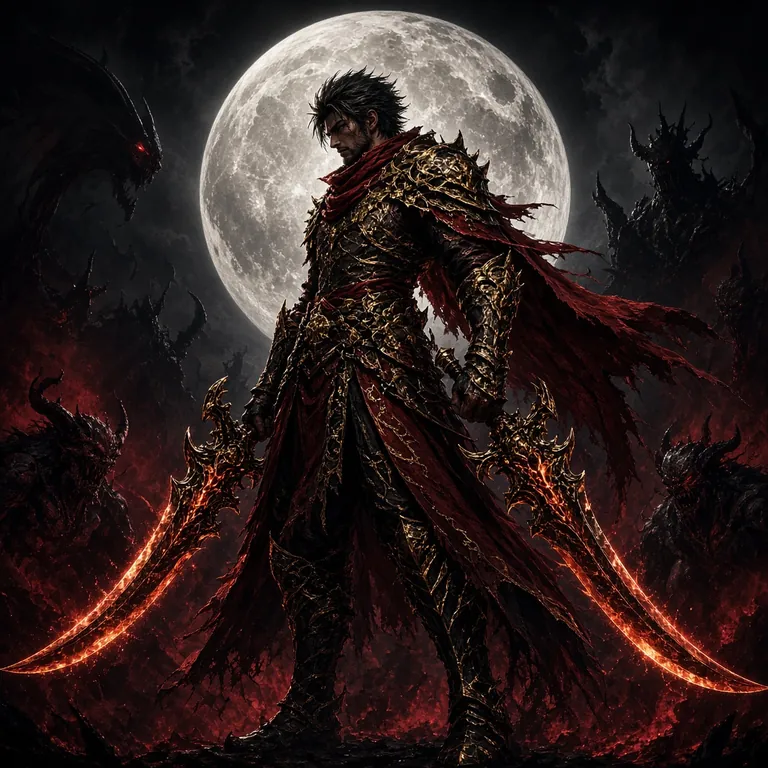 RTP ৯৫.৮%
Demon Hunter
PG Soft · Minimum bet ৳২
Inside the app, besides these two, the rest of the game lobby opens from the same screen.
The install takes four steps
On Android an APK file has to be installed by hand — it isn't a one-tap job like the Play Store. Once you finish the steps below, later on you only need to download the new version.
-
1
Turn on install permission
Go to Settings → Apps → Special access → Install unknown apps. Choose the browser you'll download the file with and tap “Allow”. Switch this permission back off when you're done.
-
2
Download the file
Tap the download button above. If Chrome shows a warning, pick “Download anyway”. The file is ae77.apk, 52 MB — you'll get a notification when it finishes.
-
3
Finish the install
Open the file from the notification or the Downloads folder and tap “Install”. It takes a few seconds, and the icon lands on your home screen.
-
4
Log in and enter the lobby
If you have an account, log in from the login page; if you're new, register first. Then make a deposit and pick a game.
-
5
Turn the permission back off
Once it's installed, switch “Install unknown apps” off again in Settings. That cuts the risk of installing some other file by mistake.
What gets easier on your phone
The app and the site share one account. Even so, if you play every day, a few things in the app save you time.
-
Log in with one touch
No typing your password again and again. Your phone's fingerprint or PIN gets you into the account, so it's quick when you're on a bus or standing in the market.
-
Deposit and withdraw on one screen
bKash, Nagad, Rocket and bank transfer — all inside the app. A deposit usually arrives in 2 minutes; a withdrawal takes about 35 minutes.
-
Live tables and cricket markets
Live tables from Evolution and Playtech, plus cricket 1X2 markets — they open in their own tab inside the app. Handy for changing your bet while a match is running.
-
Push notifications
Your phone pings when a deposit arrives, a withdrawal is approved or a new bonus drops. If that gets annoying, you can turn notifications off in your phone settings.
-
Runs on low data
Slot reels and balance updates are light, so you can play on mobile data when you're out. On a slow network the graphics drop back but your bet never freezes.
-
One account, one balance
Play on the site or in the app, it's the same account. Change phones and one login brings back your balance, bet history and bonus status.
App or browser — which suits you
Both run on the same account; the only difference is how you use them. Here they are side by side.
ae77 app (APK)
- Speed
- One tap to the lobby from your home screen, less waiting.
- Data use
- Lighter images and animation; the whole page doesn't reload every time.
- Notifications
- Deposit and withdrawal push notifications come to your phone.
- Install
- You download and install the APK once.
- Updates
- You download and install each new version yourself.
- Who it's for
- People who log in several times a day and want to save playing time.
Mobile browser
- Speed
- You have to open the site each time, more waiting on a slow network.
- Data use
- Page images and scripts download fresh every time.
- Notifications
- No push notifications — you have to open the site to see news.
- Install
- Nothing to install, it runs in the browser.
- Updates
- New versions arrive by themselves, nothing to download.
- Who it's for
- People who log in now and then or share a phone.
If you drop in once or twice a day, the browser is enough. But if you play regularly — especially sitting at live tables for a while — balance and reel updates catch your eye faster in the app. If phone storage is low, keep the browser.
What to do if the install gets stuck
When an APK install fails, the cause is almost always one thing — phone settings or an incomplete download. The table below puts each cause next to its fix.
| Problem | Likely cause | Fix |
|---|---|---|
| Install blocked | Installs from unknown sources are blocked, or Play Protect is stopping it | Give your browser permission under Settings → Apps → Special access → Install unknown apps. If Play Protect pops up, open “More details” and choose “Install anyway”. |
| “Package couldn't be parsed” error | The download didn't complete, or the file is out of date | Delete the file and download it again. Then open Downloads and check that the file size is a full ৫২ MB. |
| “Not enough storage” | Your phone's internal memory is almost full | Free up space by clearing out videos you don't need, unused apps and browser cache, then install again. |
| It installs, but closes the moment you open it | Your Android version is too old, or the app data is damaged | Check whether your phone runs Android ৮.০ or later. Then go to Settings → Apps → ae77 → Storage → Clear data and open it again. |
| The app opens but you can't log in | Weak internet, or an outdated app version | Switch between Wi-Fi and mobile data, and check that the app is running ৩.৮.৪. If it still won't work, try again from the login page. |
If you still have trouble after these five steps, message the 24/7 live chat with your phone model, Android version and the exact error shown on screen. The support team usually replies within a few minutes.
The permissions the app asks for, and the security rules
After installing, the app asks for a few permissions. Below is what each one is for and which you can turn off.
| Permission | Why it's needed | How to turn it off |
|---|---|---|
| Storage / Files | Uploading your ID photo before your first withdrawal, and saving app updates | Settings → Apps → ae77 → Permissions → Files |
| Camera | Sending a photo to the support team in live chat | Allow it only when needed, then turn it off afterwards |
| Notifications | Deposit arrivals, withdrawal approvals and bonus news | Turn it off in the app settings or in your phone's Notifications |
| Device ID | Recognises your login so the account stays protected | Stays on permanently, but it can't read your personal files |
| Location | Not needed by the app | Keep it off from the start |
Download the APK only from ae77.me. “Modded” or “unlimited” APKs on other sites can carry extra code that steals your account details. Once it's downloaded, check that the file is ৫২ MB and the version is ৩.৮.৪. Site and app traffic runs over SSL encryption, and the platform is for over-১৮s only.
Get the ae77 App on Your Phone
-
Faster than the browser
The app pre-loads the lobby so your first bet screen is ready in seconds, not waiting for a page reload.
-
Full lobby in one file
Slots, fishing, Crash, live tables and cricket markets — all in one 52 MB APK. No separate downloads per game type.
-
Push alerts for your bets
Get a notification when your withdrawal clears or when a new bonus drops — no need to keep the browser open.
-
bKash and Nagad in two taps
Deposit via bKash, Nagad, Rocket or bank transfer without switching apps. Funds arrive in about 2 minutes.
Scan with your phone camera
to start the download
Your questions, answered briefly
Is the ae77 APK safe?
What do I do if Play Protect blocks the install?
How do I update the APK when a new version is released?
How long do deposits and withdrawals take in the app?
Does the ae77 APK work on iPhone?
What should I do if I forget my app password?
Download the file. Once it's installed, log in and head into the lobby — the app handles the rest.